
Every day, millions of Australians turn to Google to find products, services, and solutions. If your business is not showing up in those search results, you are handing customers directly to your competitors. The good news is that Google Ads gives businesses of any size the power to appear right at the top of those results, and getting started is more straightforward than most people think.
Learning how to run ads on Google is one of the most valuable skills you can develop as a business owner. Whether you are a tradie in Brisbane, a boutique owner in Melbourne, or a service provider in Perth, Google Ads can connect you with people who are actively searching for exactly what you offer.
In this step-by-step guide, you will learn everything you need to get your first campaign up and running. We will cover setting up your account, choosing the right keywords, writing compelling ad copy, setting a budget, and tracking your results. No prior experience is required. By the end, you will have the confidence and knowledge to launch ads that actually work for your business.
How Google Ads Actually Works Before You Spend a Dollar
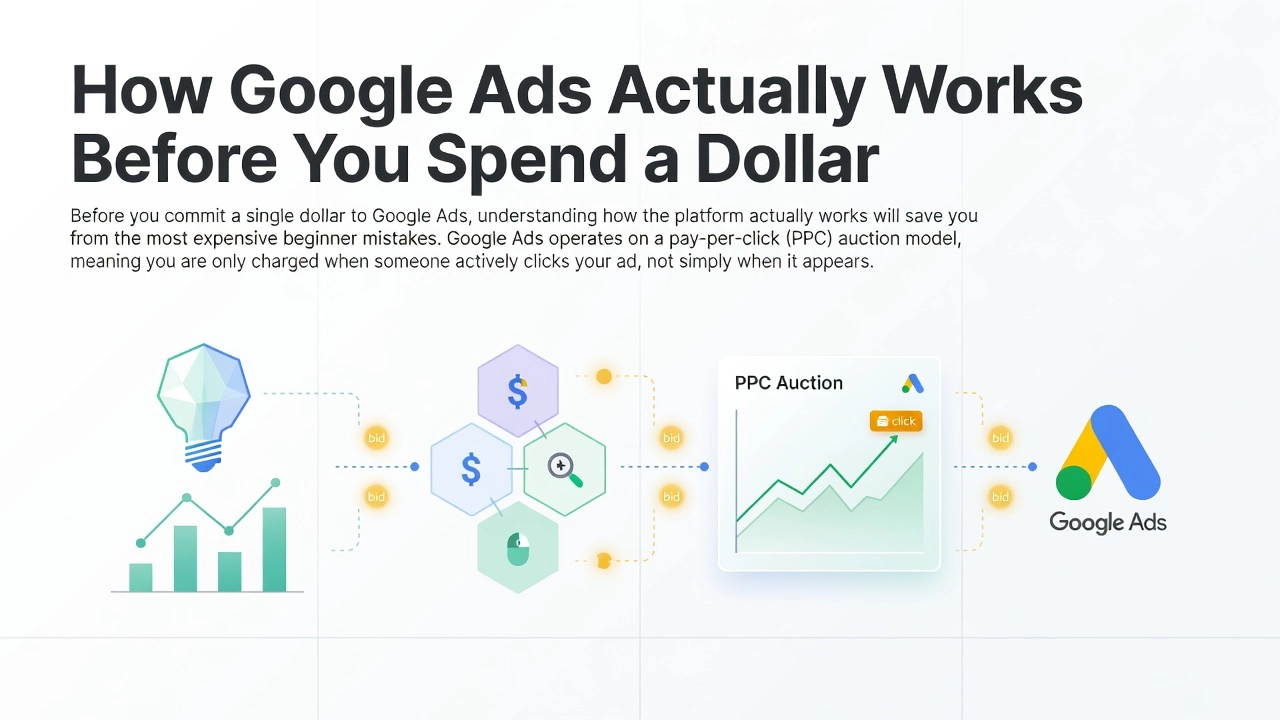
Before you commit a single dollar to Google Ads, understanding how the platform actually works will save you from the most expensive beginner mistakes. Google Ads operates on a pay-per-click (PPC) auction model, meaning you are only charged when someone actively clicks your ad, not simply when it appears on the results page. This distinction matters enormously. Unlike traditional advertising where you pay for exposure regardless of engagement, every dollar spent on Google Ads is tied to a measurable action. With Google processing over 8.5 billion searches daily and capturing 92% of global search market share, the targeting reach available to even a small Australian business is extraordinary.
The Auction Happens in Milliseconds
Every time a user types a search query, Google runs a real-time auction that resolves in roughly 100 to 300 milliseconds, before the page even loads. Your position in that auction is not simply determined by who bids the most. Google calculates an “Ad Rank” for every eligible advertiser using a combination of your maximum bid, your Quality Score, the impact of your ad assets (such as sitelinks and callouts), and contextual signals like device, location, and time of day. The practical consequence is significant: a well-structured campaign with a modest budget can consistently outrank a competitor bidding twice as much, provided its relevance signals are stronger.
Quality Score Is Your Cost Lever
Quality Score is a 1 to 10 diagnostic rating Google assigns at the keyword level, built from three components: expected click-through rate (approximately 39% weight), landing page experience (approximately 39% weight), and ad relevance (approximately 22% weight). A higher Quality Score directly reduces your cost-per-click at the same position. Moving from a score of 4 to a score of 8 can cut your CPC by an estimated 37%. This means the alignment between your keyword, your ad copy, and your landing page is not optional; it is the primary mechanism by which smaller advertisers compete efficiently against larger ones.
The Market Scale and What Returns Look Like
Global PPC spend is projected to reach $306 billion in 2026, growing at 11% year-over-year, with Google commanding the dominant share of that investment. The average return on ad spend (ROAS) across industries sits at approximately 200%, meaning advertisers earn roughly $2 back for every $1 spent. However, that figure is an industry average and varies considerably based on vertical, bid strategy, and campaign structure. High-competition sectors like legal and finance face CPCs exceeding $6 per click, while ecommerce campaigns can achieve significantly higher returns when campaigns are built correctly. Understanding these mechanics before launch is what separates profitable campaigns from wasted spend.
Choose the Right Campaign Type for Your Business Goal
Now that you understand how the auction works, your next decision is arguably the most consequential one you will make: choosing the right campaign type. Google Ads is not a single advertising product. It is a suite of formats, each designed for a different stage of the customer journey, a different business model, and a different level of data maturity. Picking the wrong one early is one of the most common reasons beginner campaigns waste budget without results.
Search Ads: Start Here for Most Businesses
Search campaigns display text ads to users who are actively typing queries into Google. This makes them the highest-intent format on the platform. When someone searches “emergency plumber Sydney” or “best accounting software for small business,” they are already in buying mode. Your ad intercepts that demand at exactly the right moment. For service-based businesses, tradespeople, healthcare providers, legal firms, and most Australian SMBs, Search is the recommended starting point without exception. The average cost-per-click across all industries sits at around $5.26, which is higher than other formats, but reflects the quality of that intent. You are not interrupting someone; you are answering them.
Google Shopping Ads: Built for Ecommerce
If you run an ecommerce store, Google Shopping Ads deserve your attention from day one. Rather than displaying text, Shopping campaigns pull product images, prices, and your store name directly into search results, giving potential buyers the information they need before they even click. These campaigns are powered by a product feed submitted through Google Merchant Center, so a clean, well-structured feed is a prerequisite. Shopping campaigns also offer direct product-level bidding control, which is valuable before you have the data volume needed for more automated formats.
Performance Max: Powerful, But Earn It First
Performance Max (PMax) is now the dominant campaign format in 2026, consolidating placements across Search, Display, YouTube, Discover, Gmail, and Maps into a single AI-managed campaign. Remarkably, 45% of all Google Ads conversions now flow through PMax, yet 82% of PMax advertisers run it alongside Search or Shopping rather than as a standalone replacement. The critical caveat for beginners is this: PMax is entirely dependent on conversion data to function. Before launching PMax, practitioners recommend a minimum 3% conversion rate and at least 30 monthly conversions. Without sufficient data, Google’s AI has nothing meaningful to optimise toward, and budget burns fast.
Display, YouTube, and Demand Gen: Layer These In Later
Display advertising places visual banner ads across Google’s network of millions of third-party websites. It is most effective for remarketing to users who have already visited your site, or for building brand awareness at the top of the funnel. Demand Gen campaigns replaced Discovery Ads and now serve image and video ads across YouTube in-feed, YouTube Shorts, Gmail, and Google Discover. With CPCs ranging from $0.30 to $1.50, Demand Gen reaches users before search intent forms, making it better suited to mid-funnel storytelling than direct response. Both formats perform best with established creative assets and audience lists of at least 10,000 users for meaningful lookalike targeting.
The Decision Framework: Sequence Matters
Follow this sequence and you will avoid the most expensive beginner mistakes. Start with Search to build conversion history and keyword intelligence. If you run ecommerce, add Shopping once your product feed is optimised. Once Search is consistently profitable and you are generating 30 or more monthly conversions, test Performance Max as a complement, not a replacement. Layer Display in for remarketing once your site has meaningful traffic. Add Demand Gen or YouTube Video Ads last, when you have creative assets and a clear mid-funnel audience to target. Most high-performing accounts combine several campaign types rather than relying on one format alone.
Set Your Budget: What to Actually Spend on Google Ads in Australia
Budget is one of the most common points of confusion for Australian businesses starting with Google Ads, and getting it wrong in either direction is costly. Spend too little and you will never gather enough data to make informed decisions. Spend without a framework and you will burn through your budget before a single optimisation can take effect.
At DTEK Digital, Australian SMB clients typically invest between $500 and $5,500 per month on Google Ads. Below $500 per month, most industries simply cannot generate enough click volume to produce statistically meaningful conversion data. Without sufficient data, you cannot identify which keywords convert, which ads resonate, or where your cost-per-lead actually sits.
What Clicks Actually Cost in Australia
Australian CPCs vary dramatically depending on your industry and location. In competitive metro markets like Sydney and Melbourne, legal and financial services can exceed $15 to $30 per click, and in highly contested segments, costs climb higher still. Trades and home services typically sit between $3 and $10 per click, making them far more accessible for smaller budgets. According to 2025 Google Ads industry benchmarks, Search campaigns captured over 56% of total Google ad investment, confirming that Search remains the dominant and most competitive placement across almost every category. Australian market conditions, particularly the concentration of buyers in a handful of major cities, tend to push local CPCs above published global averages.
How Daily Budgets Work
Google Ads budgets are set at the daily campaign level, not monthly. To calculate your daily budget, divide your intended monthly spend by 30.4. For example, a $1,500 monthly budget translates to approximately $49 per day. Google may spend up to twice your daily budget on high-traffic days, but will not exceed your monthly cap across the billing cycle. This is by design, so short-term day-level overspend is not cause for alarm.
Smart Bidding Requires Conversion Volume First
Automated strategies like Target CPA and Target ROAS need a minimum of 30 to 50 conversions per month within the campaign to exit Google’s learning period and begin optimising effectively. New campaigns or lower-budget accounts rarely hit this threshold early on. In those cases, Manual CPC or Maximise Clicks bidding is the more appropriate starting point, giving your campaign room to accumulate data before handing control to automation.
A Practical Starting Framework
For beginners, the most reliable approach is straightforward: start with enough daily spend to generate 5 to 10 clicks per day in your industry, run the campaign for a full 30 days without structural changes, then review your cost-per-conversion against your target threshold before scaling. For a trades business at $5 CPC, that means roughly $50 per day or $1,500 per month. For a legal firm at $25 CPC, that minimum rises to $125 per day. Use the Google Ads budget planning tool to stress-test these figures against your revenue goals before committing.
Step-by-Step: How to Set Up Your First Google Ads Campaign
With your account funded and your budget defined, it is time to build your first campaign. Follow this sequence precisely, because the order of operations matters as much as the individual steps.
Step 1: Create Your Account and Configure Conversion Tracking First
When you create your Google Ads account, Google will attempt to push you toward a simplified Smart Campaign setup. Ignore this. Select “Switch to Expert Mode” at the very first screen to access the full campaign controls you will need. Once inside, your first action is not to create a campaign; it is to link your account to Google Analytics 4 and configure conversion tracking. Go to Tools, then Measurement, then Conversions, and set up at least one verified conversion action, whether that is a form submission, a phone call, or a purchase. Do not proceed to campaign creation until your conversion tags are firing and confirmed. Launching without verified tracking means every dollar you spend in the early days generates zero optimisation signal, and your account will never learn efficiently.
Step 2: Select Your Campaign Goal and Type
Once tracking is confirmed, create your first campaign. For most Australian service businesses, the correct starting configuration is a Search campaign with a Leads goal. This targets people actively searching for what you offer, at the bottom of the buying funnel, where intent is highest. Avoid Performance Max at this stage; it requires existing conversion data to operate effectively and offers limited visibility for beginners who need to understand what is working and why.
Step 3: Conduct Keyword Research With Intent as Your Filter
Open Google Keyword Planner and build your keyword list around terms that signal purchase intent, not general curiosity. Phrases like “emergency plumber Sydney” or “family lawyer consultation Melbourne” reflect buyers, not browsers. Use phrase match and exact match keyword types exclusively at this stage. Do not activate broad match until you have at least several weeks of search term data and a robust negative keyword list in place. Start your negative list before launch with terms like “free,” “DIY,” “course,” “jobs,” and “how to,” which consistently drain budgets for service businesses targeting paying clients.
Step 4: Write Your Responsive Search Ads and Add Assets
Build each Responsive Search Ad (RSA) with a minimum of 10 to 15 unique headlines and 4 descriptions. Give Google’s algorithm enough variation to test combinations meaningfully. Pin your primary value proposition to headline position 1 and your business name or location to position 2 to ensure consistency across all ad combinations. Beyond the ad itself, add every relevant ad asset available: sitelinks directing users to specific service pages, callout assets highlighting key differentiators, and structured snippets listing your service categories. Assets expand your ad’s footprint on the results page and improve click-through rates without additional cost per click. You can review how Google Ads works for campaign setup directly in Google’s own guidance if you want to cross-reference asset options during this step.
Step 5: Choose the Right Bid Strategy for a New Account
This is where many beginners over-automate and waste their early budget. Smart Bidding strategies like Target CPA require a minimum threshold of roughly 30 conversions per month to optimise reliably. New accounts have no conversion history, so automated strategies will bid erratically. Start with Maximise Clicks with a maximum CPC cap to control spend while building data, or use Manual CPC if you want full control from day one. Once your account reaches consistent conversion volume over a 30-day period, you can graduate to Target CPA with a data foundation that actually supports it. For context on what a well-structured beginner campaign looks like in practice, the Google Ads Tutorial 2026 for beginners from Metics Media is a useful visual reference alongside this guide.
Step 6: Launch With a Structured Review Schedule
The campaign is live. Now discipline matters more than enthusiasm. For the first two weeks, check your Search Terms report daily and add irrelevant queries to your negative keyword list. At the two-week mark, review your Quality Scores across keywords; anything scoring below 5 out of 10 needs attention, whether that means improving ad relevance or aligning your landing page more closely to the keyword’s intent. At the 30-day mark, review your cost-per-conversion before making any structural changes to campaign settings, bids, or ad groups. Changing too many variables too early is one of the most common reasons new campaigns fail to produce reliable data and never reach their potential.
Conversion Tracking: The Step Most Beginners Skip and Regret
Conversion tracking is the single most common failure point for beginners running Google Ads, and the consequences are severe. Without it, Google’s Smart Bidding algorithms have no performance signal to learn from, which means they cannot optimise your bids toward actions that actually matter to your business. You are essentially asking the algorithm to improve your results without ever telling it what a good result looks like. Every dollar you spend before conversion tracking is properly configured is money spent generating data you cannot use.
A conversion action is any meaningful user behaviour you want to measure and optimise toward. Common examples include a contact form submission, a phone call from an ad, a product purchase, a newsletter sign-up, or a visit to a key page such as a thank-you or confirmation page. The critical point is that none of these are tracked automatically. Each conversion type must be explicitly defined inside your Google Ads account, assigned a value where possible, and connected to the correct firing conditions on your website. Google Ads does not infer your goals; it only optimises toward signals you deliberately configure and feed it.
For implementation, the Google Tag must be installed across every page of your website, with event-specific conversion snippets firing on the pages that confirm a completed action, such as a booking confirmation or order receipt page. For most business owners who are not developers, Google Ads Conversion Tracking With GTM using Google Tag Manager is the recommended approach. GTM provides a centralised, auditable system for managing all your tags without touching your site’s code directly, and it makes future changes significantly easier to manage as your campaigns scale.
Linking your GA4 property to your Google Ads account is equally important and frequently overlooked. Once linked, you can import GA4 conversion events directly into Google Ads, creating a unified measurement view across both platforms. This integration also unlocks remarketing audiences and strengthens the data signals that power Smart Bidding strategies. For a practical walkthrough, Google’s official web conversions setup guide covers the configuration requirements in detail.
The measurement gap in digital advertising is stark. 80% of senior marketing analytics professionals cite proving the real-world value of marketing as their top priority in 2026, yet the majority of DIY advertisers launch their first campaign with no conversion tracking in place at all. Without it, you cannot calculate your cost per lead, identify which keywords are generating revenue, or make a single informed optimisation decision. At DTEK Digital, conversion tracking is set up and verified before a single campaign goes live, because every performance insight, every bidding decision, and every dollar of ROI accountability depends on it being correct from day one.
Smart Bidding and Automation: When It Helps and When It Hurts
Smart Bidding now manages 78% of all Google Ads spend in 2026, and advertisers using automated bid strategies report 14% higher conversion rates on average compared to manual bidding. Those are compelling numbers, but they come with a critical asterisk: these results depend entirely on having sufficient conversion data in your account. Automation without data is not intelligence; it is guesswork at scale. Before you hand the wheel to Google’s AI, you need to understand exactly what you are handing over and when that trade-off actually works in your favour.
The Four Core Smart Bidding Strategies
Google currently offers four primary Smart Bidding strategies, each suited to a different stage of account maturity. Maximise Conversions tells Google to get you as many conversions as possible within your daily budget, with no cost-per-conversion constraint. It is the most accessible starting point for newer accounts. Maximise Conversion Value optimises for total revenue rather than volume, making it appropriate for ecommerce businesses with varying product margins. Target CPA instructs Google to hit a specific cost-per-acquisition target, but requires a consistent monthly conversion volume, typically at least 30 conversions, before the algorithm has enough signal to perform reliably. Target ROAS is the most data-hungry of the four; it optimises for a target return on ad spend and is best reserved for accounts with mature conversion histories and stable performance patterns. According to Google’s own Smart Bidding documentation, all four strategies use auction-time bidding, processing signals like device, location, time of day, and user behaviour in real time, at a scale no human bidder can replicate manually.
The Learning Period Problem
When you activate a Smart Bidding strategy, Google enters a calibration phase lasting roughly one to two weeks. During this window, performance will fluctuate, sometimes noticeably. Many beginners panic, make changes to bids, budgets, or targeting, and inadvertently reset the learning clock. This is one of the most damaging and most avoidable mistakes in Google Ads management. Treat the learning period as a non-negotiable constraint, not a sign that something is broken. Accounts that enter this phase with strong audience signals and existing conversion data see faster calibration and lower CPAs in the first 30 days compared to those that launch cold.
AI Max: Powerful but Requires Discipline
At Google Marketing Live 2026, Google announced AI Max for Search campaigns. This tool uses AI to expand keyword matching and dynamically select the most relevant landing page from your website, giving your ads broader reach without requiring you to build out an exhaustive keyword list. The upside is genuine scale. The risk is equally real: broader matching means more potential for irrelevant traffic, and without rigorous negative keyword lists in place, your budget can be consumed by searches that have no bearing on your business. Treat negative keyword hygiene as a prerequisite before activating AI Max, not an afterthought. As noted in recent analysis of AI bidding and PMax strategies, automation at this level rewards advertisers who feed the system clean, structured inputs.
When Manual Bidding Still Wins
Automation is not always the right answer. Research published in March 2026 confirms that manual CPC bidding remains the stronger choice in three specific scenarios: new accounts accumulating fewer than 30 monthly conversions, niche B2B campaigns operating in low-volume search environments where the algorithm cannot gather enough data to learn meaningfully, and situations where you need granular keyword-level control over where your spend is directed. If your account does not yet have the conversion volume to support Smart Bidding, forcing automation will produce unstable and often wasteful results. Build your data foundation first, then introduce automation progressively as your account matures.
Why Google Ads Campaigns Fail (And How to Avoid the Common Mistakes)
Even when your campaign structure is technically sound, a handful of recurring mistakes can silently drain your budget and suppress your results. Understanding these failure points before they cost you money is one of the most valuable things you can do as a new advertiser.
Jumping Into Automation Too Early
The most structurally damaging mistake beginners make is activating Target CPA bidding or launching a Performance Max campaign before accumulating sufficient conversion history. Google’s algorithm needs a minimum of 30 conversions per month to optimise reliably; below that threshold, the system is essentially guessing. The result is poor audience targeting, inflated spend on low-quality traffic, and a learning phase that never actually resolves. Build your conversion data first using manual CPC or Maximise Clicks, then graduate to automated strategies once the algorithm has real signal to work with.
Using Broad Match Without Negative Keywords
Broad match keywords without a supporting negative keyword list will drain your budget faster than almost any other structural error. Google uses broad match to serve your ads against loosely related, often completely irrelevant searches, inflating your impression share and consuming clicks that will never convert. This also degrades your Quality Score over time, creating a compounding cost penalty. Beginners should start with phrase match and exact match keywords exclusively. Mine the Search Terms report every week during your first 30 to 60 days, and build negative keyword lists from real query data before considering any broad match expansion.
Weak Landing Pages and Quality Score Neglect
A well-built campaign paired with a weak landing page is a guaranteed waste of budget. Landing page experience is a direct input into your Quality Score, and a Quality Score of 4 or below can increase your effective CPC by 25 to 50 percent compared to a score of 7 or above. Your page needs to load in under three seconds, mirror the core message of your ad, and present a single, prominent call to action above the fold. Audit keyword-level Quality Scores monthly and address the three sub-components: Expected CTR, Ad Relevance, and Landing Page Experience. Keywords scoring 4 or below should be paused or restructured immediately.
Missing Location Targeting Exclusions
For Australian businesses, failing to restrict location targeting is a particularly costly oversight. By default, Google may serve your ads to users outside Australia if the targeting option is set to “Presence or interest” rather than “Presence.” This means budget can be consumed by international clicks with zero purchase intent. When setting up any campaign, explicitly target Australia or your specific state and city, switch the location option to “Presence” only, and add international exclusions as an additional safeguard. It takes under two minutes to configure and protects every dollar you spend from the moment your campaign goes live.
Real Results: What Google Ads Can Deliver for an Australian Business
The numbers behind Google Ads are compelling on their own. The average conversion rate on the platform sits at 7.52%, more than three times the global PPC average of 2.35%, and people who click Google Ads are 50% more likely to buy than organic search visitors. But benchmarks only tell part of the story. What they cannot tell you is what happens when campaign structure, conversion tracking, and bid strategy are all properly aligned for a specific business in a specific market.
That is exactly what DTEK Digital demonstrated with Catering Zone, an Australian catering business that achieved a 20x ROI through a structured Google Ads strategy. The result was not a product of luck or an unusually generous niche. It was the outcome of building a campaign the right way: tight keyword targeting, accurate conversion tracking feeding the right signals to Smart Bidding, and a landing page experience optimised to close the traffic the ads were generating.
The 200% average ROAS benchmark cited across industries confirms that Google Ads is, on average, a positive-ROI channel. However, averages mask significant variance. Legal services regularly achieves up to 8.0x ROAS on Google Ads, ecommerce brands cluster around 4.0x, and home services consistently outperform the cross-industry mean when campaigns are well-managed. The 200% figure is a floor for a well-run campaign, not a ceiling.
Australian context adds another layer of complexity. CPCs in competitive Sydney and Melbourne markets frequently exceed what global benchmarks suggest, meaning Quality Score, campaign structure, and landing page conversion rate carry more weight locally than they might in smaller markets. A lower Quality Score in a high-CPC environment compounds quickly into an unprofitable cost-per-acquisition.
Google’s incrementality testing improvements, rolled out in late 2025, are also shifting how advertisers measure success. Rather than relying on last-click attribution, advertisers can now measure the true uplift Google Ads contributes beyond organic and direct traffic, giving a more accurate picture of real-world business impact.
The practical benchmark for any Australian SMB is straightforward: if your campaign is generating leads or sales at a cost below your customer lifetime value, it is working. The goal is not to spend as little as possible. It is to make every dollar invested return more than it cost.
Should You Run Google Ads Yourself or Hire an Agency?
This is a question worth answering honestly, because the wrong decision costs you either time or money, and often both.
DIY management is genuinely viable under specific conditions. If your monthly ad spend sits below $1,000, your business offers a single, clearly defined service with predictable keywords, and you can commit five to ten hours per week to active campaign management and continuous learning, you can make Google Ads work yourself. That time commitment is not optional. Reviewing search term reports, adjusting bids, testing ad copy, and monitoring Quality Scores are weekly tasks, not monthly ones. If you cannot dedicate that time consistently, your campaign will drift and your budget will quietly disappear on irrelevant clicks.
The case for professional management strengthens significantly as spend increases. When your monthly ad spend exceeds $1,500 to $2,000, agency fees, typically structured at 15 to 20% of ad spend, become proportionally smaller relative to the budget being managed. The financial equation shifts further when you factor in wasted spend. A poorly managed $3,000 monthly campaign burning 30% of budget on mismatched search terms is losing $900 per month before a single lead is generated. Beyond budget thresholds, certain account types almost always require expert management: ecommerce stores running Shopping campaigns with product feeds, accounts running multiple campaign types simultaneously, and any business where DIY campaigns have plateaued and you cannot identify why.
The complexity most tutorials skip over is where the real cost lives. Conversion tracking configuration, audience layering, bid strategy transitions between learning periods, product feed optimisation for Shopping campaigns, and campaign-level Quality Score auditing are not tasks you configure once and forget. Each requires ongoing expert attention and a level of cross-account pattern recognition that only comes from managing multiple accounts simultaneously. In-house managers see one account; experienced practitioners see dozens, and that pattern exposure is genuinely difficult to replicate on your own.
An honest self-assessment will tell you most of what you need to know. Can you open a Search Terms report and immediately identify wasted spend? Do you know what a Target CPA learning period looks like and when to intervene versus when to leave the algorithm alone? Can you diagnose a Quality Score drop at the keyword level and trace it back to a root cause? If those questions feel uncertain, the cost of DIY is likely higher than the cost of professional management.
DTEK Digital manages Google Ads campaigns for Australian businesses across service industries and ecommerce, with a data-driven approach focused on measurable ROI. For businesses spending $1,000 or more per month, a managed service conversation is worth having before your next campaign goes live.
Start Running Google Ads the Right Way
The foundation has been covered. Now it comes down to execution.
Before your first campaign goes live, confirm that conversion tracking is installed and firing correctly, your campaign type matches your actual business goal, your daily budget is calibrated to Australian CPCs in your category, and your bid strategy reflects the data you actually have rather than the data you hope to collect. These are not optional refinements; they are the conditions that determine whether your budget generates returns or disappears.
Google Ads rewards structure and patience above everything else. The campaigns that fail are not the ones with imperfect ad copy or slightly off bids. They are the ones launched without tracking, switched to Smart Bidding before accumulating sufficient conversion data, or shut down before the 30-day learning period gave the algorithm a fair chance.
Your next action is straightforward: launch a Search campaign, define two or three conversion actions relevant to your business (form submissions, phone calls, or purchases), and set a daily budget that allows for at least 5 to 10 clicks per day. Commit to reviewing performance at the 30-day mark before making any structural changes.
If you would rather skip the trial-and-error phase entirely, DTEK Digital offers a free consultation to assess your goals, budget, and market. As the team behind a 20x ROI result for Catering Zone, DTEK brings the kind of data-driven discipline that turns Google Ads from a cost centre into a reliable growth channel.
Conclusion
Running Google Ads does not have to be overwhelming. By setting up your account correctly, choosing targeted keywords, writing compelling ad copy, and tracking your results, you have everything you need to start winning customers online.
The businesses seeing the best results are not necessarily the ones with the biggest budgets. They are the ones who show up consistently, refine their campaigns over time, and stay focused on connecting with the right audience at the right moment.
Now it is your turn. Open Google Ads today, apply the steps from this guide, and launch your first campaign. Start small if you need to, learn from the data, and scale what works.
Every day you wait is another day your competitors are capturing the customers you could have won. Take action today and put your Australian business where it belongs: at the top of the results.